Free U.S. Continental Shipping on orders $35+ ● No Sales Tax outside California

MyWaterClub Product Support
58-Mineral Remineralization Inline Filter — 10″ × 2″
MINERAL58-QC
Amazon: Mineral58-1438
This page covers where the filter goes, how to install it, when to change it, how to test pH and TDS, and the parts that fit it.
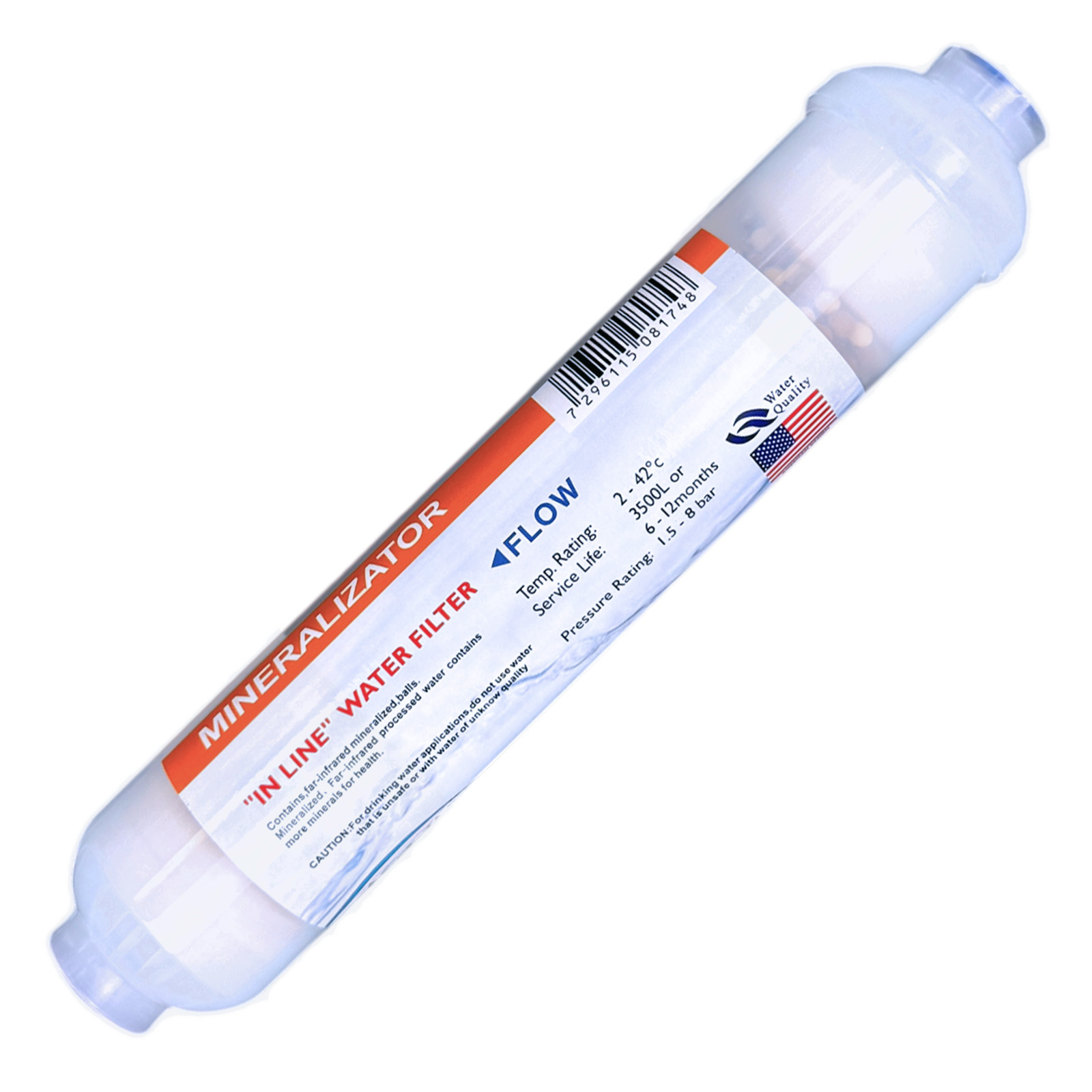
Is this your filter?
Check these against the filter in your hand. All four should match.
- ✓A white inline filter about 10″ long and 2″ across
- ✓The label says 58 minerals or far-infrared mineral filter
- ✓1/4″ threaded ports at both ends and a FLOW arrow on the label
- ✓It came with elbow adapters for 1/4″ and 3/8″ tubing
Which mineral filter do you have?
- 58-mineral — this page. A light touch: TDS stays low and pH stays near neutral.
- 4-in-1 mineral — adds more minerals and raises pH more. 4-in-1 support page →
- Alkaline — raises pH the most. Alkaline support page →
- Carbon, sediment, DI or specialty — see the full guide. Inline filter guide →
Specifications
| Model / SKU | MINERAL58-QC · Amazon: Mineral58-1438 |
| Media | Far-infrared ceramic and a mineral media that releases about 58 trace elements |
| What it does | Adds a small amount of trace minerals to RO water for taste. TDS rises only about 1–3 ppm and pH stays near neutral. |
| Size | 10″ × 2″ |
| Connection | 1/4″ ports · elbow adapters for 1/4″ and 3/8″ OD tubing |
| Flow | 0.5 GPM |
| Pressure / temperature | Max 100 PSI · 36–100°F, cold water only |
| Typical life | About 1 year, or 1,000 gallons |
| Brand | MyWaterClub |
Reorder this filter
This filter · MINERAL58-QC
58-Mineral Remineralization Inline Filter
On MyWaterClub.com you choose adapters for 1/4″ tubing, 3/8″ tubing or both, and the price per filter drops when you buy more. The Amazon listing comes with adapters for both 1/4″ and 3/8″ tubing.
Where it goes
A remineralizing filter is always the last stage, and it is for RO water only. It adds minerals back after the RO membrane has removed them.
| Your setup | Order of stages |
|---|---|
| Under-sink RO | Pre-filters → RO membrane → storage tank → carbon post filter → 58-mineral filter → faucet |
| Countertop RO | Faucet adapter → sediment → carbon → RO membrane → carbon post filter → 58-mineral filter |
| Fridge or ice maker line | Only when the line is fed by RO water: RO system → 58-mineral filter → appliance |
Where not to use it
- On a plain tap water line — tap water already has minerals.
- On an air humidifier — added minerals leave white dust.
- Before the RO membrane — the membrane would remove what the filter adds.
- Before any carbon filter, including the carbon post filter — carbon takes out part of the minerals this filter adds. Put the 58-mineral filter after it.
Connections
Before you cut anything
- Check your tubing size. It is either 1/4″ OD or 3/8″ OD, usually printed on the tubing. Use the matching adapters. Never force 1/4″ tubing into a 3/8″ port, or the reverse.
- Water must flow the way the arrow on the label points.
- You need a tubing cutter (or a sharp utility knife), PTFE thread tape, a towel and a small bucket.
- Fit the adapters that match your tubing. Use the 1/4″ or the 3/8″ elbows. Wrap the adapter threads with 3–4 turns of PTFE tape, clockwise. Hand-tighten, then add a quarter to half turn with a wrench. Do not overtighten — the filter body is plastic and can crack.
- Cut the tubing square. A 90° cut. A cut off by about 15° or more will leak. The last inch should be round, smooth and free of scratches.
- Remove any blue C-clips from the adapters. A clip left in stops the tube from seating.
- Push the tube in until it stops, then pull gently to confirm it holds.
- Refit the blue C-clips on every quick-connect port.
To remove a tube later: turn off the water and release pressure, take off the C-clip, push the collar in toward the filter and pull the tube out while holding the collar.
Installing on an under-sink RO
First time? Watching a short video helps: search YouTube for “add inline filter to RO system”.
- Shut off the RO water supply and the tank valve, then open the RO faucet to release pressure.
- Find the spot: after the storage tank and the carbon post filter, right before the faucet.
- Check the tubing size and that the adapters match, then cut the tubing square over a towel.
- Connect the filter with the FLOW arrow pointing toward the faucet, and refit the C-clips.
- Secure the filter with a clip: a 2.5″ × 2″ clip onto the membrane housing, or a 2″ × 2″ clip onto another inline filter.
- Open the supply and tank valves. Check for leaks now, after 10 minutes, and the next day.
- Flush the new filter for at least 5 minutes with the RO faucet open. Let the tank fill, then discard the first full tank.
- Write the install date on the label.
Countertop RO: follow your system’s manual. Keep this filter last, after the carbon post filter, and flush it for at least 5 minutes before drinking the water.
When to change your filter
| Filter | Typical interval | Change sooner if… |
|---|---|---|
| 58-mineral filter | About 1 year or about 1,000 gallons |
The water starts to taste flat again |
Intervals are typical estimates. Your source water, flow and usage set the real schedule.
Testing TDS and pH
- Wait one week after installing a new filter. Early readings are distorted while the new filters flush.
- TDS barely changes after this filter — it adds only about 1–3 ppm. That’s by design. Judge this filter by taste, and judge the RO membrane by testing right after it.
- pH stays near neutral. If you want a higher pH, the 4-in-1 or alkaline filter is the better choice.
- Use a calibrated pH meter. Calibrate it with pH 7 and pH 4 or pH 10 buffer solutions before you test. pH strips and test drops are not accurate enough in low-mineral RO water, so we don’t recommend them.
Full testing steps in the inline filter guide → · TDS meter → · Digital pH meter →
Parts that fit this filter
| Part | Notes |
|---|---|
| 1/4″ thread × 3/8″ quick-connect elbow, 2-pack | Adapters for 3/8″ tubing |
| 1/4″ quick-connect elbow, threaded, 2-pack | Adapters for 1/4″ tubing |
| Blue C-clips for 3/8″, 10-pack | Locks the tube in a 3/8″ port · 1/4″ clips |
| 2.5″ × 2″ mounting clips, 2-pack | Clips the filter onto an RO membrane housing · 2″ × 2″ clips · 2″ screw-mount clips |
| Tubing cutter with release tool | Square cuts on 1/4″ and 3/8″ tubing |
| 3/8″ OD tubing, white | If you need extra length · 1/4″ tubing |
All tubing, clips and fittings →
Common questions
| What you’re seeing | Most likely cause |
|---|---|
| Cloudy or milky water from a new filter | Fine mineral particles or trapped air. Flush for at least 5 minutes; bubbles clear within a day or two. |
| Drip at a quick-connect port | Tube not fully in, scratched or cut at an angle, or the C-clip was left in. Release, recut square, push it fully in and refit the clip. |
| Drip at a threaded port | Too little thread tape, or cross-threaded. Remove, re-tape and start it by hand before tightening. |
| Low flow at the faucet | Filter installed backward, kinked tubing, or a filter past its date. Check the arrow, the tubing and the install date. |
| TDS barely changes after this filter | Expected — it adds only about 1–3 ppm. Judge it by taste. |
| pH readings jump around | Normal in low-mineral water. Calibrate the meter, stir gently and wait for the reading to settle. |
| The water tastes flat again | The media is used up. Time for a new filter. |
Need help?
Contact us
Send a photo of the filter label and your system, and we’ll tell you where it goes
Call or text (858) 345-7345. Bought on Amazon? You can also reach us through Amazon: Your Orders › Contact seller.
Scope note: This is a taste and mineral step for RO water, not a contaminant filter. It does not reduce chlorine, sediment or fluoride. Use it on municipally treated or otherwise microbiologically safe water. Descriptions refer to taste and mineral content only and are not health claims.
Please note: Mineral levels and filter life depend on your source water, flow rate, contact time and usage, so results vary from home to home. We make no health claims about far-infrared water or mineral supplementation. This product is not a substitute for testing your water.